SE Ranking is worth considering when Semrush Pro feels tight before your SEO process is mature enough to justify Guru.
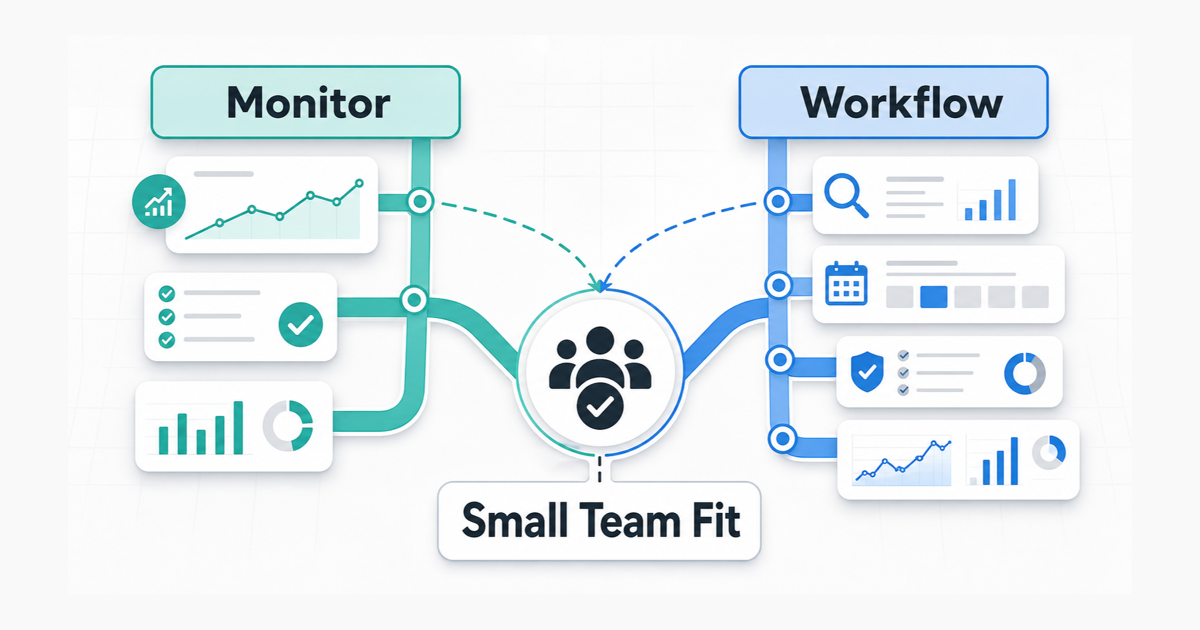
The sharper comparison is this: SE Ranking gives more monitoring room at the entry tier, while Semrush gives a broader SEO workflow once content tools, historical reporting, and stakeholder reports matter.
So the decision is not “which tool is better?” It is whether you are buying monitoring capacity or workflow consolidation.
Capacity vs Consolidation Rule
Choose SE Ranking when Semrush Pro’s 5 monitored websites or 500 tracked keywords would be the first limit you hit.
Choose Semrush when the team needs historical comparisons, content planning, competitor research, and recurring stakeholder reports.
| Team situation | Better fit | Why |
|---|---|---|
| Semrush Pro’s 5 websites to monitor would be tight in month one | SE Ranking | Core lists 10 projects, while Semrush Pro lists 5 websites to monitor |
| You expect to track around 1,000 to 2,000 keywords before content tools matter | SE Ranking | Core lists 2,000 daily keywords, while Semrush Pro lists 500 keywords to track |
| You need historical reporting, content tools, and report integrations | Semrush | Guru adds historical data, content tools, multi-targeting, and Looker Studio reporting integrations |
| Client-facing reports and project capacity matter more than content tooling | SE Ranking | Growth adds more projects, manager seats, historical data across the project lifetime, guest links, and page change monitoring |
| API access is the reason for buying | Compare carefully | Semrush ties standard API access to Business, while SE Ranking lists API credits and separate API add-ons |
Before choosing, check whether Semrush Pro’s 5 websites or 500 tracked keywords would force Guru before the team actually needs Guru-level content and reporting tools.
Price And Limits Snapshot
The numbers below are a snapshot from official pages checked on May 18, 2026. Treat them as a buying aid, not a permanent price table.
| Area | Semrush SEO Toolkit | SE Ranking |
|---|---|---|
| Entry paid tier | Pro at $139.95/month | Core at $129/month, or $103.20/month with annual billing shown on the pricing page |
| Next main tier | Guru at $249.95/month | Growth at $279/month, or $223.20/month with annual billing shown on the pricing page |
| Higher standard tier | Business at $499.95/month | Enterprise is custom |
| Entry monitoring capacity | Pro: 5 websites to monitor | Core: 10 projects |
| Entry tracked keywords | Pro: 500 keywords to track | Core: 2,000 daily keywords |
| Entry crawl or audit allowance | Pro: 100,000 pages to crawl per month | Core: 250,000 audit pages per month |
| Main reporting upgrade | Guru adds historical data, content tools, multi-targeting, and Looker Studio reporting integrations | Growth adds all-time historical data, guest links, page change monitoring, and more seats |
On headline price, the entry plans are close. The difference is what each entry tier is built for.
Semrush Pro is the first step into a broad SEO Toolkit. SE Ranking Core looks more like a capacity-focused plan for SEO and GEO monitoring, built for teams that need projects, tracked keywords, audits, and reports before they need a full Semrush-style workflow.
Where Semrush Still Justifies Its Cost
Semrush is easier to justify when SEO has already moved beyond monitoring and into reporting.
The strongest reason to choose Semrush over SE Ranking is the plan boundary. Pro can be enough for current data and small tracking. Guru becomes the real comparison once historical data, content tools, multi-targeting, and reporting integrations are required.
The important Semrush upgrade is usually Pro versus Guru. Pro can work when one person manages a small SEO workflow and 5 monitored websites, 500 tracked keywords, and current data are enough. Guru makes more sense when the team needs historical data, content tools, 15 websites, 1,500 tracked keywords, multi-targeting, or Looker Studio reporting integrations.
That makes Semrush a stronger fit when reporting is already a monthly deliverable and content planning happens inside the same workflow.
It is weaker when the team only needs tracking capacity, audits, and a short status report. In that case, Semrush may push the team toward a broader suite before the workflow needs it.
Where SE Ranking Wins On Capacity
SE Ranking wins when capacity and cost control are the pressure.
Core currently lists 10 projects, 1 manager seat, 2,000 daily keywords, 100 daily prompts, 5 domains in GEO research, 250,000 audit pages per month, and 25,000 API credits. Growth raises the listed capacity to 30 projects, 3 manager seats, 5,000 daily keywords, 250 daily prompts, 15 domains in GEO research, 2 million audit pages per month, and 100,000 API credits.
That changes the buying conversation. SE Ranking is not just “the cheaper Semrush.” It is the tool to compare when the team can describe the work in operational terms:
- track 1,000 to 2,000 keywords before content tools matter
- compare SE Ranking’s 10-project Core allowance against Semrush Pro’s 5 websites to monitor
- run audits and on-page checks regularly
- create repeatable reports without a mature content workflow
- use guest links or client-facing reports before paying for a broader suite
- include some AI search or GEO tracking in the same buying decision
SE Ranking is not always cheaper or simpler. Add-ons, agency features, AI search add-ons, extra seats, extra keywords, and API needs can change the real cost. But if your first problem is that Semrush Pro feels tight or expensive for basic monitoring, SE Ranking deserves a serious comparison.
Scenario: Pro Limits Force The Upgrade
Suppose one marketer already has 5 websites to monitor and expects to add another site next month. That is enough to make Semrush Pro’s website limit a real constraint before the team has a mature content workflow.
Now add 1,200 to 1,800 tracked keywords across branded terms, product terms, local terms, and comparison terms. The monthly work is practical: check rankings, audit pages, watch a few competitors, and send a short report. Nobody is using content brief tools yet. Guest links or simple report sharing matter more than a content planning workspace.
In that scenario, SE Ranking Core is the cleaner starting point because project and keyword capacity is the visible constraint. Semrush may still work, but Pro’s 5 monitored websites and 500 tracked keywords would force a harder plan conversation before the team has proved it needs the broader Semrush workflow.
Semrush can still make sense if the same marketer also needs Semrush’s content tools, deeper competitor research, and reporting needs that will likely require Guru. But if the team cannot name those jobs yet, paying for the broader suite may be premature.
Scenario: Reporting Makes Guru Defensible
Now imagine a small in-house team with only 3 monitored sites and about 300 tracked keywords.
Capacity is not the issue. The issue is that SEO already runs on a monthly reporting cycle. Before each monthly growth meeting, the team needs to show ranking movement, audit fixes, competitor movement, and the next set of pages to refresh. Historical comparisons matter. Content planning tools matter. Reporting integrations matter.
In that case, Semrush becomes the clearer choice. Guru is not cheap, but the upgrade makes more sense when historical data, content workflow tools, multi-targeting, and reporting integrations are part of the job.
SE Ranking can still work here, especially if tracking capacity and reports are the main needs. But if the team needs one place to prepare the monthly report, content refresh list, audit follow-up, and competitor notes, Semrush is the stronger default.
What To Check During The Trial
Do not compare the tools by clicking around for an hour. Use the trial period to test the capacity problem and the workflow problem separately.
Test the capacity problem:
- set up the same websites in Semrush and the matching project structure in SE Ranking
- load the same first-month keyword groups
- check whether Semrush Pro’s 5 websites or 500 tracked keywords would force a move to Guru
- check whether SE Ranking Core’s 10 projects and 2,000 daily keywords leave enough room
Then test the workflow problem:
- build one stakeholder report
- run one audit and decide what action follows
- create one keyword or content planning workflow
- decide whether historical data, content tools, or Looker Studio reporting would change the team’s monthly work
If the capacity test exposes pressure, SE Ranking may be enough. If the workflow test exposes pressure, Semrush may be worth the higher cost.
When To Skip Both
Skip both tools if the team does not yet have recurring SEO work.
A paid SEO platform is hard to justify when nobody owns weekly tracking, audits, keyword research, competitor monitoring, or reporting. If the site is still early and the team only needs a few checks, start with Google Search Console, Analytics, a crawler, and a spreadsheet.
Move to SE Ranking when rank tracking, audits, and reports become recurring and Semrush Pro’s entry limits are the wrong constraint. Move to Semrush when SEO becomes a broader workflow that needs research, content planning, reporting, and stakeholder communication in one system.
Final Recommendation
Decide whether you are buying monitoring room or workflow consolidation.
Choose SE Ranking when the near-term problem is monitoring room: more websites than Semrush Pro’s 5-website monitoring limit, more than 500 tracked keywords, routine audits, reports, and a tighter software budget.
Choose Semrush when the near-term problem is workflow consolidation: keyword research, content planning, historical reporting, audits, competitor monitoring, and recurring stakeholder updates in one place.
If you are replacing spreadsheets and basic tracking, test SE Ranking first. If you are replacing several SEO workflows and a monthly reporting process, look closely at Semrush Pro and Guru before choosing the lower-cost option.
If you are still deciding whether Semrush is the right kind of tool at all, read our Semrush review for small teams. If you are comparing Semrush against a research-heavy platform, read our Semrush vs Ahrefs comparison.
Sources Checked
Sources checked on 2026-05-18:
This comparison is based on official pricing and limits pages checked on 2026-05-18, not a hands-on account test.
- Semrush SEO Toolkit pricing and limits: https://www.semrush.com/kb/1547-seo-toolkit-pricing-limits
- Semrush features overview: https://www.semrush.com/features/
- SE Ranking pricing and plan limits: https://seranking.com/subscription.html